From Video Edit to Finished YouTube Upload in a Single Keypress.
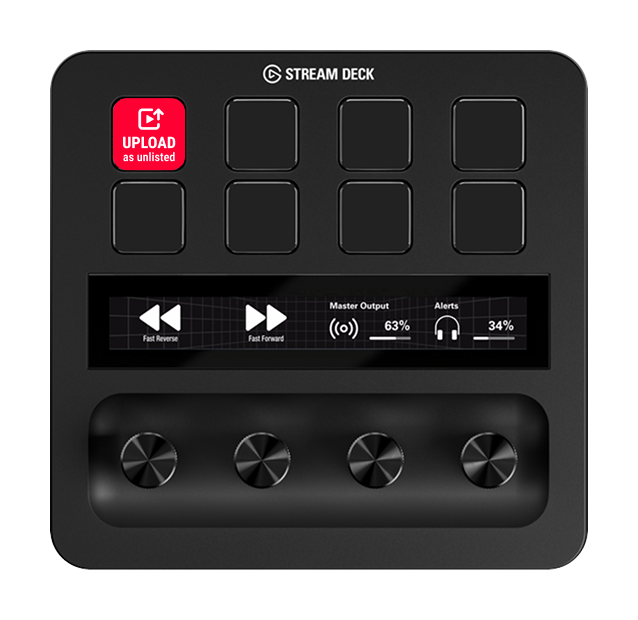
Save your recurring YouTube presets once and trigger your target upload profile directly from your Elgato Stream Deck. Target channel, visibility, category, tags, and description templates — one click sets up every upload.

Browser-Based Uploads Waste Valuable Time on Every Release.
Creators and video production teams publish content with predictable settings: the same channel, consistent visibility, recurring tags, matching playlists, and standardized descriptions. Yet YouTube Studio forces you through the exact same tedious browser form steps every single time.
Repetitive Manual Work
Copy-pasting tags, adjusting visibility, selecting categories, and ticking declaration checkboxes — the exact same tedious routine for every single video.
Error-Prone & Wrong Channels
Managing multiple YouTube channels means constant risk of accidentally releasing videos on the wrong profile or forgetting critical metadata and tags.
Thumbnail Rendering Friction
Opening heavy external image editing software just to extract and export a single video frame as a thumbnail disrupts your creative flow and slows down publishing.
From Video Edit Directly to YouTube in 3 Steps.
Set up your recurring profiles once — from that moment on, a single press on your Stream Deck handles the rest.
Configure Profile Once
Define target channel, default tags, category, language, and visibility (Public, Unlisted, Private) for each video format (e.g. Shorts, Tutorials, Podcasts).
✓ Set up once, reuse indefinitelyAssign to Stream Deck Key
Drag the “Open Upload Profile” action onto a free LCD key on your Elgato Stream Deck and select the configured profile from the dropdown list.
✓ Native Stream Deck IntegrationPress Key & Upload Video
One keypress opens the software with all metadata pre-filled. Drag & drop your video file and launch the upload with zero friction.
✓ Up to 80% time saved per uploadFull Hardware Control Directly on Your Desk.
The Video Upload Manager combines the performance of a dedicated desktop application with the tactile convenience of the Elgato Stream Deck.
Create dedicated keys for each channel combination and content format. A single keypress brings the application into the foreground and loads the assigned profile in milliseconds.
Key Assignment in Under 60 Seconds.
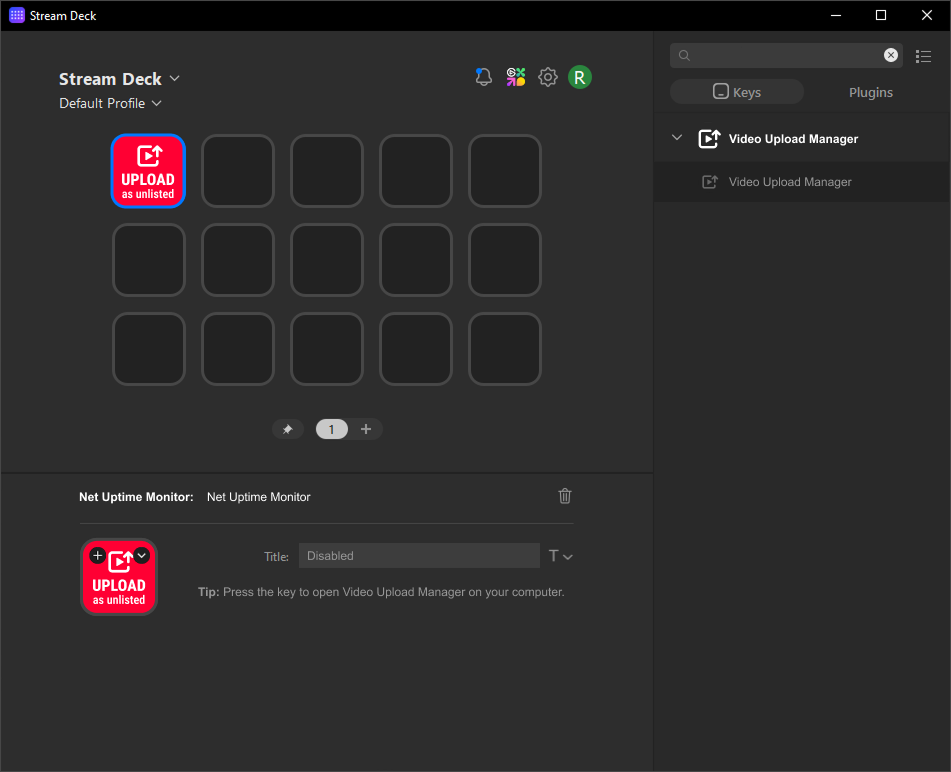
Drag the “Open Upload Profile” action from the CasuisTec category in the Stream Deck software onto any free LCD key.
Select your desired profile from the key’s dropdown menu (e.g. “Main Channel – 4K”, “Shorts”, “Tutorial”).
The Stream Deck automatically displays the corresponding icon. Every future keypress launches this workflow instantly.
Engineered for Maximum Efficiency & Clarity.
A comprehensive desktop companion designed to save you valuable time on every single video release.
Reusable Profiles
Save tags, visibilities (Public, Unlisted, Private), default title prefixes, languages, and YouTube categories across unlimited profiles.
Integrated Thumbnail Generator
Create razor-sharp thumbnails directly from any frame of your video in seconds — without opening Photoshop or third-party tools.
Multi-Account Support
Manage multiple Google and YouTube channels simultaneously. Seamlessly switch between business, client, or personal channels without relogging.
Sequential Batch Queue
Queue multiple video files. The software reliably uploads all videos in sequence in the background while you stay focused on your work.
Elgato Stream Deck Plugin
Official Stream Deck plugin for tactile hardware control. Trigger profiles, check upload progress, and manage releases directly from LCD keys.
100% Local Data Sovereignty
Zero intermediary cloud servers. The direct API connection communicates strictly between your computer and YouTube. Your credentials stay private.
Your YouTube Credentials Stay 100% Protected.
Authentication runs entirely via the official Google OAuth dialog. The application communicates directly and securely with the Google YouTube Data API.
You never enter your Google password into our software. Authorization occurs directly on Google’s encrypted login page.
Your OAuth tokens and upload profiles are encrypted and stored strictly on your local PC — never transmitted to third-party servers.
Your video files never route through intermediary servers or cloud proxies. They stream directly from your PC to YouTube.
Windows 10 & 11 (64-bit)
Stream Deck 7.1 or later
Standard Google / YouTube Account
Standalone Desktop App + Plugin
Frequently Asked Questions
The application runs natively on Windows 10 and Windows 11 (64-bit). The Elgato Stream Deck plugin requires official Stream Deck software version 7.1 or higher.
Yes! The desktop app can be used completely standalone. The Stream Deck plugin simply adds tactile one-touch hardware convenience to your desk workflow.
No. The official Google YouTube Data API is completely free for creators and channels within the generous standard daily quota.
The subscription is 3.00 € per month and covers all future updates, new features, and priority support. You can cancel at any time with a single click in your customer portal with no cancellation period.
Immediately after completing your payment via Lemon Squeezy, you will receive an automated email containing your personal download link and license key for instant activation.
Yes. You can link multiple Google / YouTube accounts, and each upload profile can be permanently mapped to its specific target channel.
No. The desktop app communicates directly between your local PC and YouTube’s official servers. Your videos never touch any intermediate third-party servers.
Save Time on Every Single YouTube Release.
Set up your recurring YouTube workflows once and launch the right upload profile directly with a single keypress on your Stream Deck.
Cancel anytime with one click · No hidden fees · All future updates included
Subscribe Now & Get Instant Access →